Reels & Video Production

Shooting Better Video on a Phone: Light, Sound and Stability

Modern phones shoot excellent video. Most problems come from light, audio and shaky framing, and all three are easy to fix.
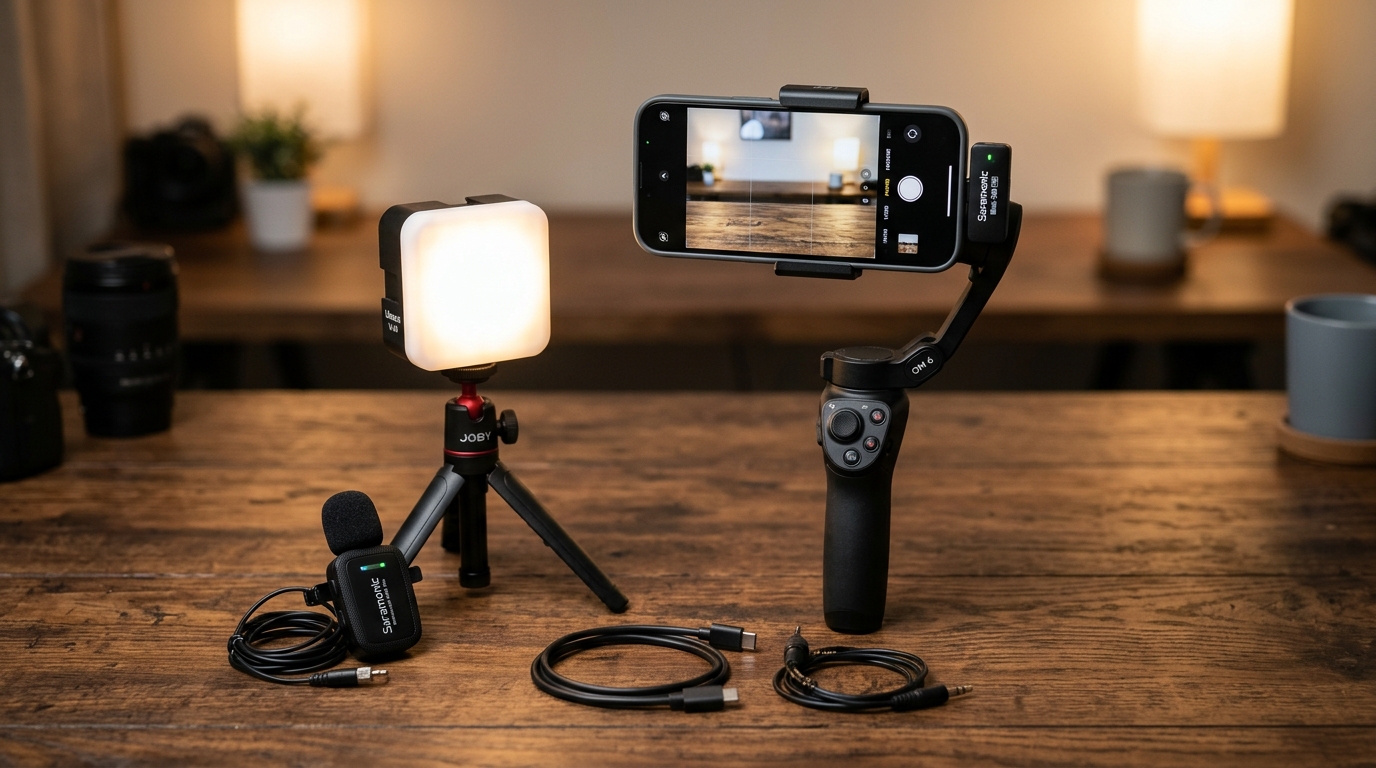
Mobile smartphone videography gear kit on a wooden table: smartphone mounted on a 3-axis gimbal, external wireless lapel microphone, portable LED softbox light cube, and lens.

Key takeaways

  • Light is the biggest quality upgrade: face a window or use a soft light.
  • Audio matters more than image. A small external microphone transforms results.
  • Stabilise the phone and lock focus and exposure.
  • Shoot extra footage, called B-roll, to make editing easier and more engaging.

1. Prepare the phone

  • Clean the lens. A fingerprint smudge softens every shot.
  • Switch on airplane or do-not-disturb mode to avoid interruptions.
  • Free up storage and charge the battery.
  • Choose the right orientation: vertical for short-form platforms, horizontal for websites and long videos.
  • Use the main rear camera where possible, as it usually has the best quality.

2. Light it well

  • Face a window for soft, flattering daylight. Avoid having a bright window behind the subject.
  • Avoid harsh overhead lights that cast shadows under eyes.
  • Indoors at night, a soft LED panel or ring light placed in front of the subject at eye level works well.
  • Keep lighting consistent across a shoot by not mixing daylight and warm bulbs.

3. Capture clean audio

Viewers forgive slightly soft images but not bad sound.

  • Use a clip-on lavalier or wireless microphone close to the speaker.
  • Record in a quiet room with soft furnishings to reduce echo.
  • Turn off fans and air conditioners while recording if possible.
  • Do a short test recording and listen with headphones before the real take.

4. Keep it steady

  • Use a tripod or a phone stand for talking-head videos.
  • For movement, use a gimbal or hold the phone with both hands close to your body and walk smoothly.
  • Lock focus and exposure by tapping and holding on the subject, so the image doesn’t shift mid-shot.

5. Frame with intent

  • Place the eyes roughly one-third from the top of the frame.
  • Leave a little space above the head, but not too much.
  • Keep backgrounds tidy and relevant to your brand.
  • For vertical video, keep important content in the centre so it isn’t hidden by on-screen buttons.

6. Shoot for the edit

  • Record several takes of each line.
  • Capture B-roll: close-ups of products, hands at work, the workspace, customers (with permission).
  • Hold each shot for a few seconds before and after the action to make cutting easier.

7. Edit simply

  • Cut pauses and repetitions.
  • Add captions and simple on-screen text.
  • Use consistent fonts and colours that match your brand.
  • Export at high quality in the platform’s recommended format.

Want professional footage instead? Our Reels & Video Production Brand Film package includes an on-site shoot, voice-over and edits for every platform.

Frequently asked questions

Which phone video settings should I use?

Use the highest resolution your phone handles smoothly at a standard frame rate. Keep settings consistent across a project so clips match when edited.

Is a ring light necessary?

Not if you have good window light. A light becomes useful when filming at night, in dark rooms or when you need consistent results every time.
Want us to do this for you?

Talk to the Vintorex team about reels & video production. Free consultation, reply within 2 working hours.